Built around your PEV.
Vehicle profiles, Garage setups and ride details for electric boards, wheels, scooters and bikes.
Electric boards · Wheels · Scooters · Bikes
Record the ride. Know your setup. Relive the good parts—with maps, ride insights and personal replay stories, all built around your PEV.
Android launch first. iOS planned after the Android commercial launch.
Why PEV Ride Computer
Vehicle profiles, Garage setups and ride details for electric boards, wheels, scooters and bikes.
A one-time app purchase is planned. Optional external services may have their own costs.
Personal ride history stays in a library on your phone. No account is needed for solo rides.
No advertising or embedded app analytics service. No automatic Neuralis ride-cloud upload.
From setup to saved ride
More room for the map. A Garage for every setup. And a replay that tells your ride’s story.
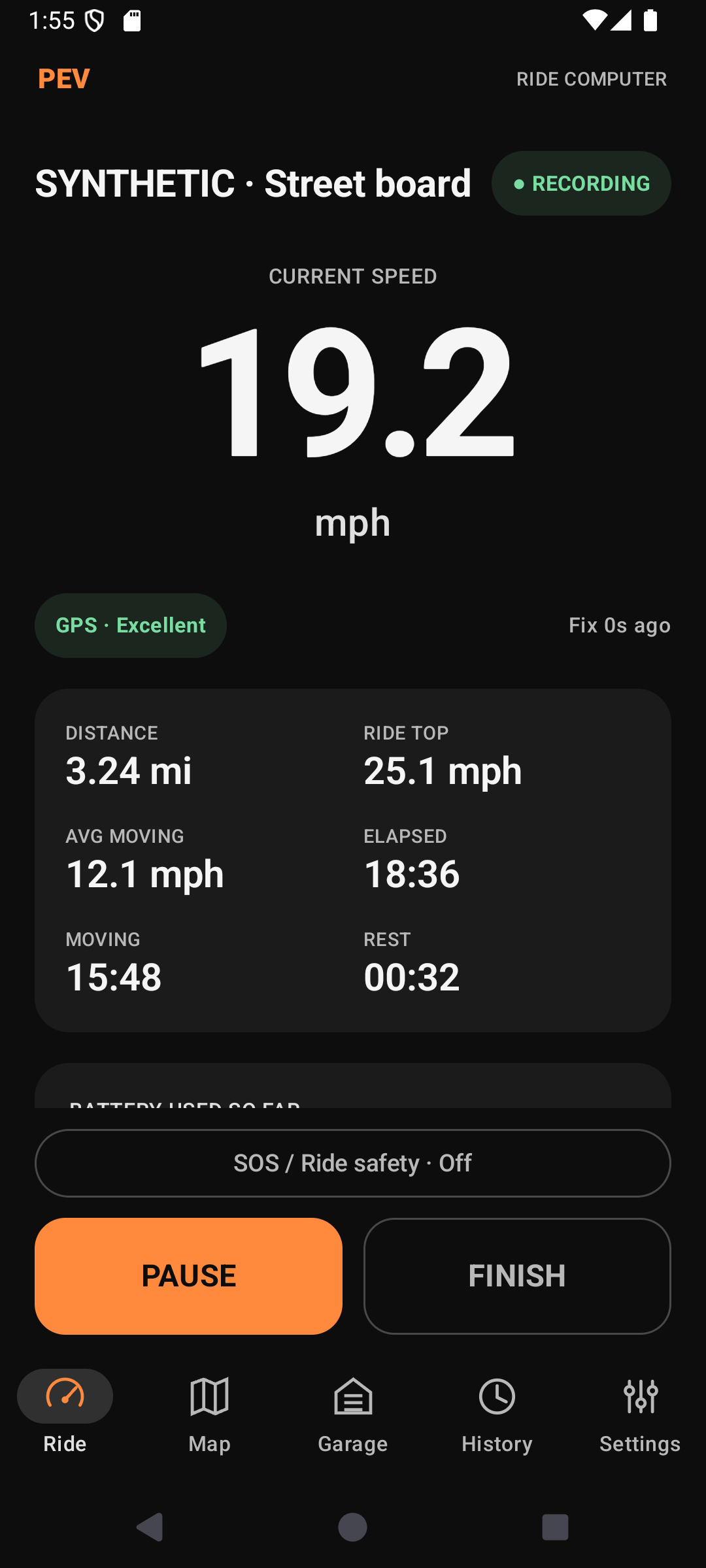
Keep speed, distance and time in view. Expand the live map, follow your position or browse the route, then return to Follow when you’re ready.
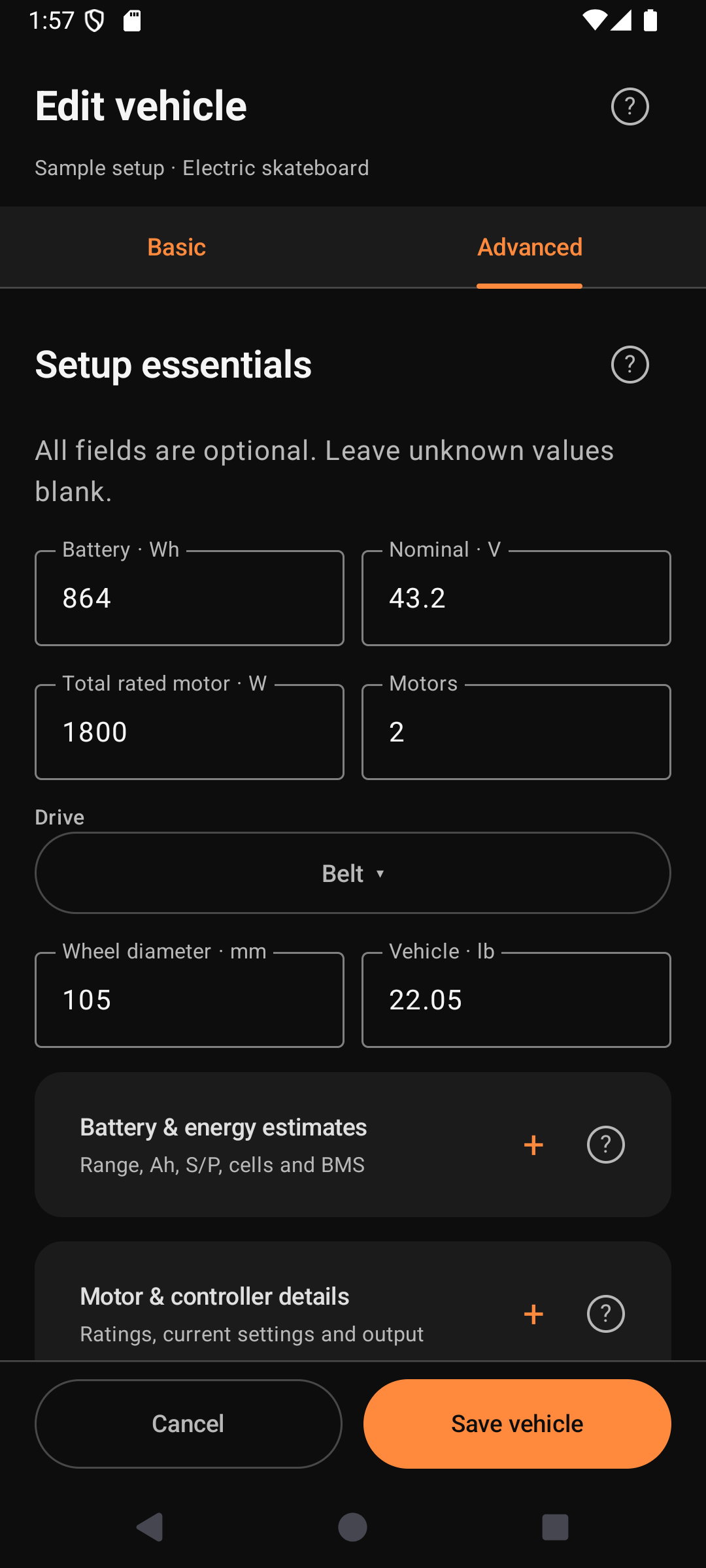
Organize vehicles, specifications, battery entries and saved setups. Import a reference profile, then review it against your own vehicle.
Sample electric skateboard setup
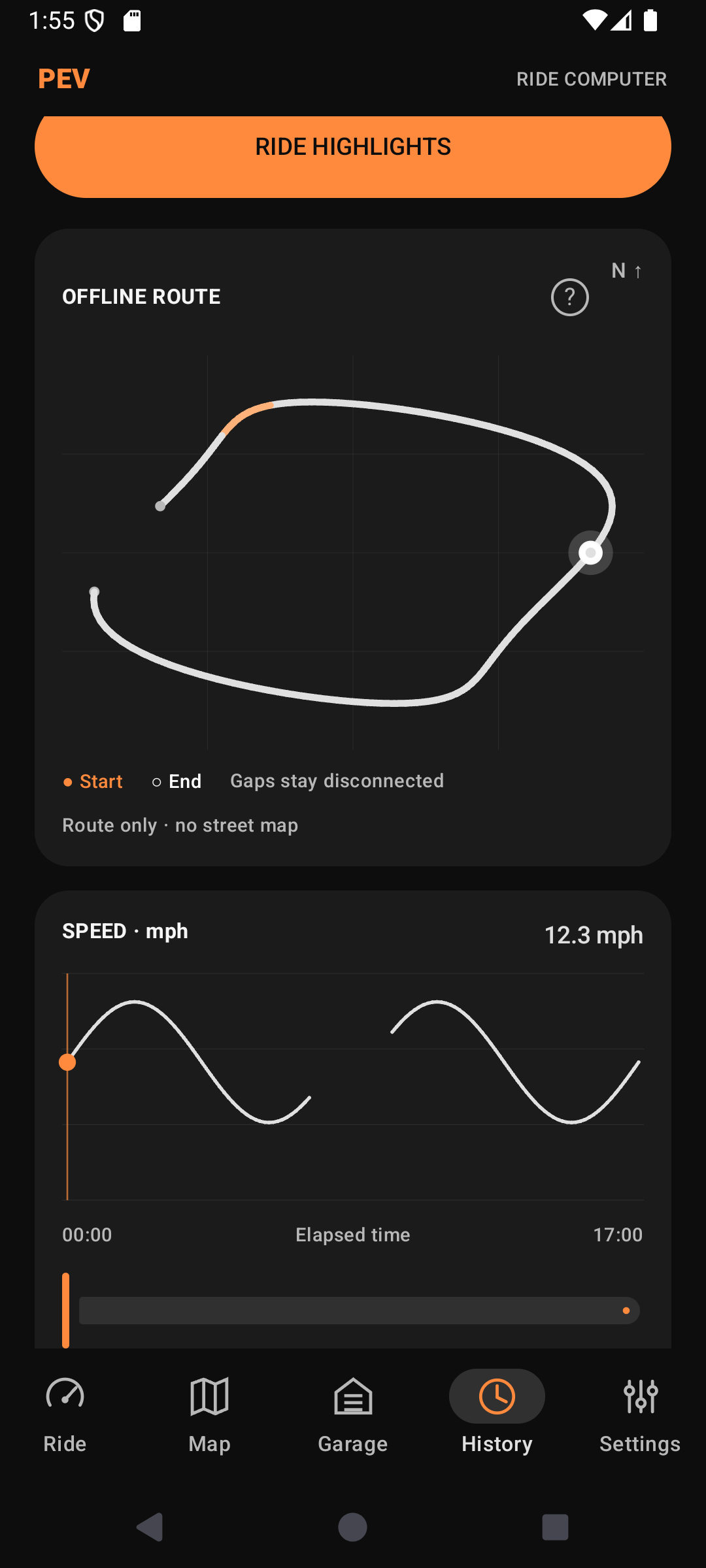
Review your route, speed and elevation. Find ride highlights and revisit the sections that stood out.
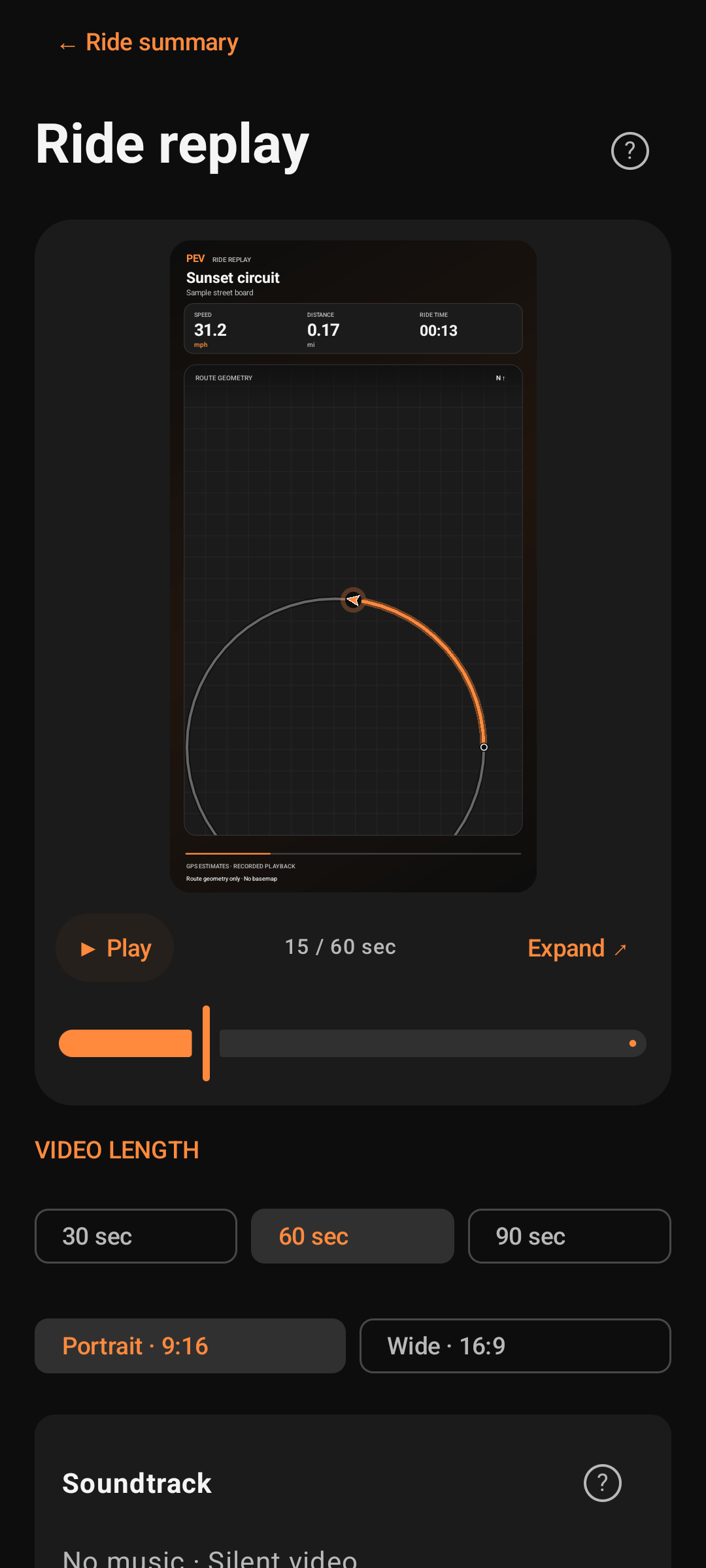
Choose where your replay starts and ends. Shorten incidental waits with Smooth Stops. Add a title, meaningful stops and up to 12 captioned photos—your original recording stays intact.
Phone measurements and range estimates are estimates. The app does not read or change your vehicle controller. Exports can include precise locations; review routes and endpoints before sharing.
Screens show Android test builds and sample data. Each visual guide identifies its source; written steps cover the current beta. Maps © OpenStreetMap contributors.
See it in action
Watch an app-generated replay, shape your ride’s story and build out your Garage. Pause, scrub or replay at your own pace.
Turn a saved personal ride into a visual replay.
Earlier 0.13 app output · synthetic route data
Explore video titles, named stops and photo captions.
Earlier 0.15.0 UI screenshots · illustrative sequence · sample data
Explore vehicle profiles, specifications and saved setups.
0.14.1 UI screenshots · illustrative sequence · sample data
Privacy by choice
Your personal ride library and Garage stay on your phone. Solo recording and personal replays need no account. Choose when to export a file, join a group or enable safety texts.
Groups, configured safety texts, downloads and external services have their own data flows. Shared files can reveal precise locations; app-created backups are not password protected.
Optional group rides
Share current positions, a planned route and rally points with admitted members. See who’s marked as arrived, check the rally roster and confirm “I’m here” when needed.
Keep rally points and group SOS messages within reach, with repeating sound and vibration you can acknowledge on your phone.
Uses your own Tailscale account and an internet connection. See current device requirements ↗
Done riding? Choose whether to save your recording and leave or end the group in one Finish screen. Saving alone keeps the group active. Rally attendance depends on recent shared locations or a rider’s confirmation.
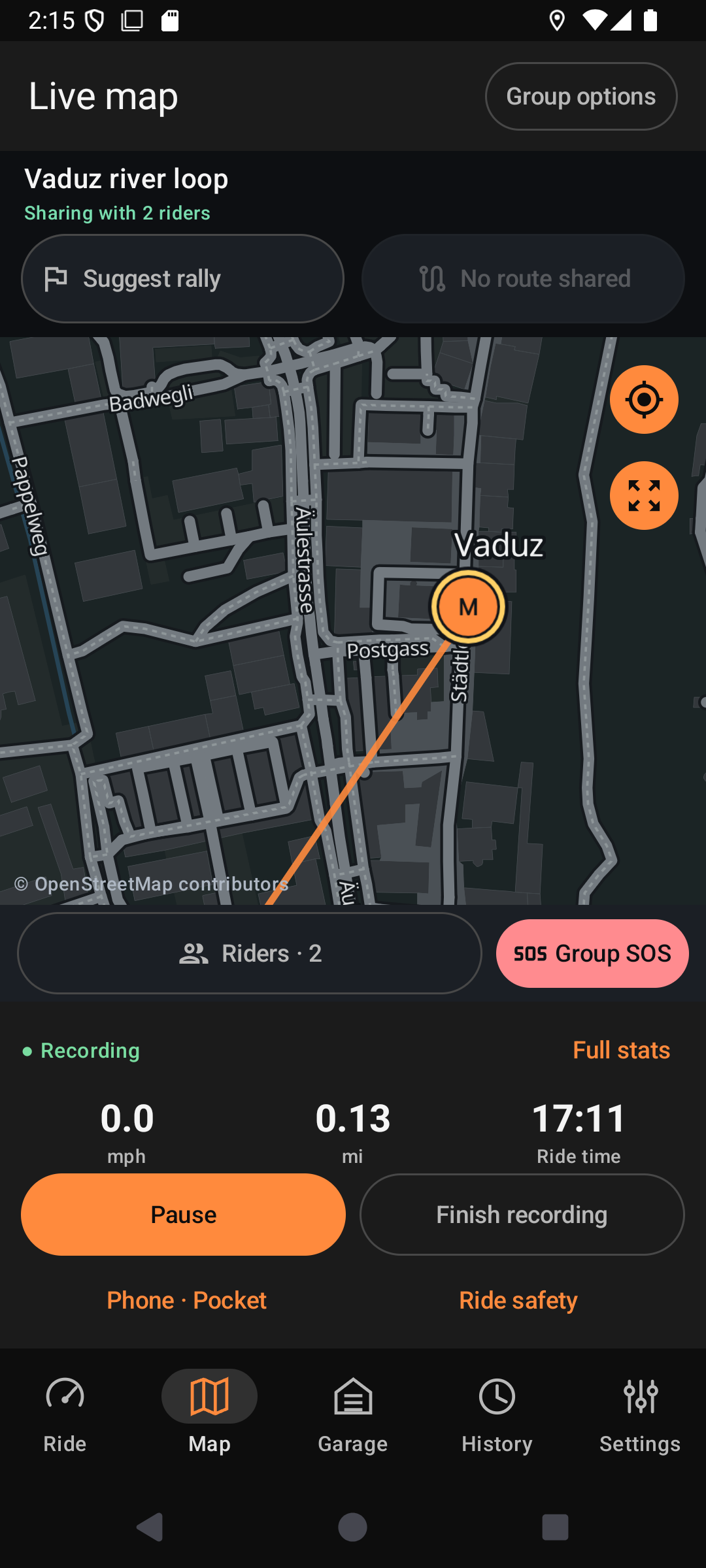
Earlier 0.14.1 Android map screen · simulated peers · Maps © OpenStreetMap contributors
The vehicle library / 120 reference profiles
Open downloads. No website account needed.
A head start for your Garage
Browse 120 reference profiles with model details and source notes. Download a small JSON file and review it in Garage before adding your vehicle.
Profiles describe equipment; they are not firmware or certified controller settings. Community submissions are not open yet.
Help for the ride
Quick starts, visual guides and straightforward answers for the moments that matter.
Vehicle setup, phone readiness, recording and your first backup.
Read the quick start ↗ 02 / WATCH & LEARNClips you can pause and replay, with captions and written instructions.
Open visual guides ↗ 03 / FIND AN ANSWERAccounts, offline use, group sharing, backups and vehicle profiles.
Browse the FAQ ↗The launch plan
A one-time purchase is planned for the Android launch on Google Play. External services may have their own account requirements or charges.
Android is in testing. An iOS version is planned after the Android commercial launch.